Sandbox vs Live API Environment: Key Differences and Use Cases (2026)
Understanding sandbox vs live API environment is essential for safe and reliable API integration. Developers must test APIs in a controlled environment before deploying them into production.
In India and globally, fintech platforms rely heavily on APIs for payments, banking, and transactions. Using sandbox and live environments properly helps prevent errors, data loss, and financial risks.
What is a Sandbox API Environment
A sandbox environment is a testing environment that simulates real API behavior without affecting actual data or transactions.
Key features:
- Safe testing environment
- Uses dummy data
- No real money transactions
- Allows debugging and experimentation
What is a Live API Environment
A live environment is the production system where real users interact with the API and actual transactions occur.
Key features:
- Real data and users
- Actual financial transactions
- High security requirements
- Requires full stability
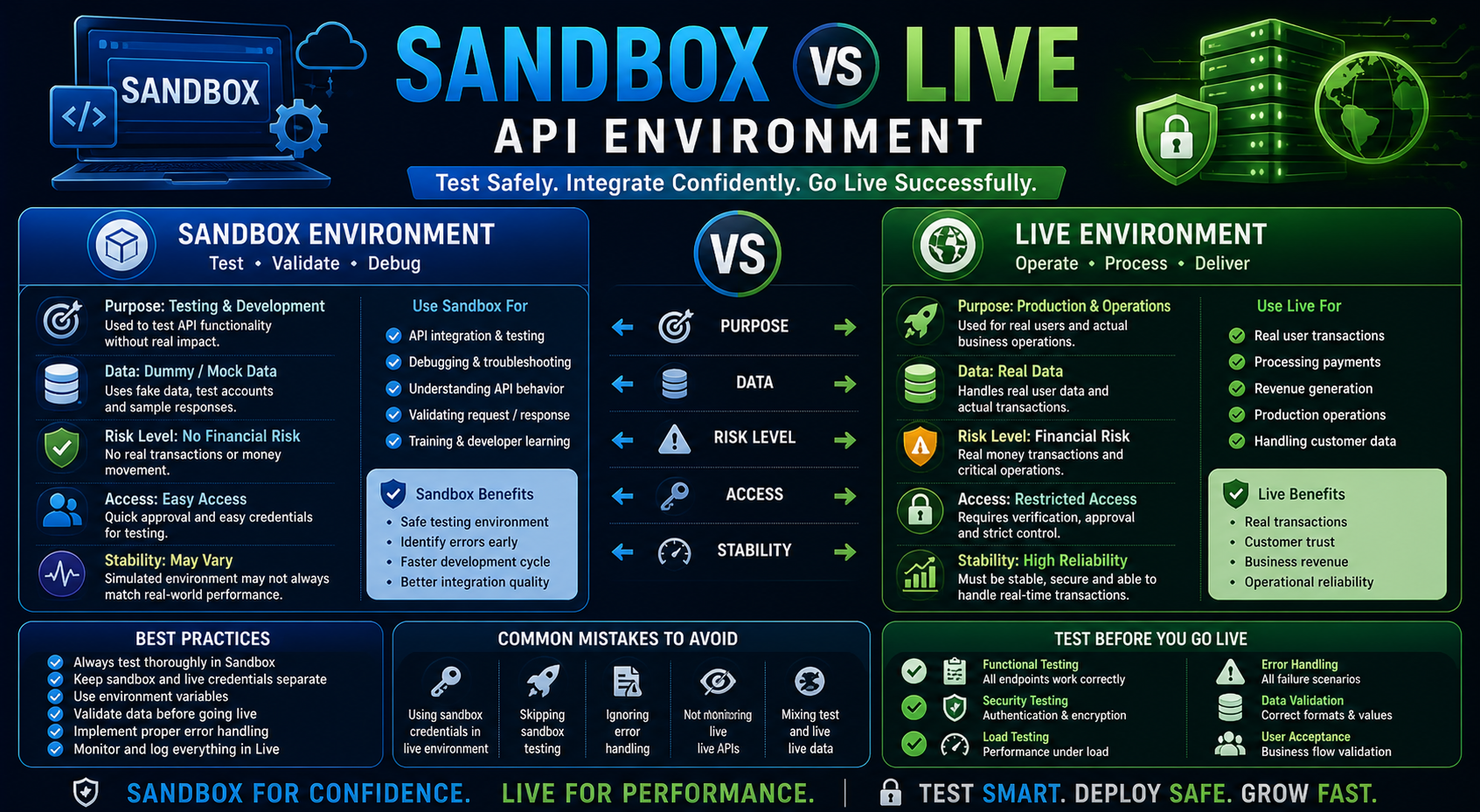
Key Differences: Sandbox vs Live API Environment
Purpose
Sandbox is used for testing, while live is used for real operations.
Data
Sandbox uses dummy data, while live uses real user data.
Risk Level
Sandbox has no financial risk, while live involves real risk.
Access
Sandbox access is usually easier, while live requires approval and verification.
Stability
Sandbox may not reflect full real-world performance, while live must be stable and reliable.
Why Sandbox Environment is Important
Using a sandbox environment helps developers:
- Test API functionality safely
- Identify errors early
- Understand API behavior
- Improve integration quality
Why Live Environment is Critical
The live environment is where business operations happen.
It ensures:
- Real transactions
- Customer interactions
- Revenue generation
- System reliability
https://www.rbi.org.in/
https://www.npci.org.in/
When to Use Sandbox vs Live
Use Sandbox When
- Testing API integration
- Debugging issues
- Validating request/response
- Training developers
Use Live When
- Launching product
- Handling real users
- Processing actual transactions
- Running production systems
Best Practices for Using Sandbox and Live APIs
Test Thoroughly in Sandbox
Validate all scenarios before going live:
- Success cases
- Failure cases
- Edge cases
Separate Configurations
Keep sandbox and live credentials separate to avoid accidental usage.
Use Environment Variables
Store API keys securely and switch environments using configuration settings.
Validate Data Carefully
Ensure correct data formats before sending requests to live APIs.
Monitor Live Environment
Track:
- Transactions
- Errors
- Performance
Implement Logging
Log all requests and responses for debugging and auditing.
Common Mistakes to Avoid
Using Sandbox Credentials in Live
Always switch to production credentials before going live.
Skipping Testing
Never deploy APIs without proper sandbox testing.
Ignoring Error Handling
Proper error handling is critical in live systems.
Not Monitoring Live APIs
Lack of monitoring can lead to unnoticed failures.
Sandbox vs Live in Fintech APIs
In fintech, the difference between sandbox vs live API environment is critical because:
- Sandbox helps prevent financial loss during testing
- Live handles real transactions and must be secure
Common fintech APIs include:
- Payment APIs
- DMT APIs
- BBPS APIs
https://nxtbanking.com/dmt-api
https://nxtbanking.com/bbps-api
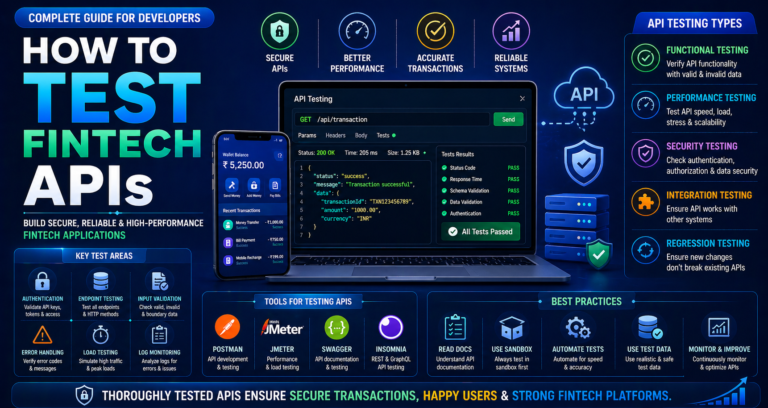
Testing Checklist Before Going Live
Functional Testing
Ensure all endpoints work correctly.
Security Testing
Validate authentication and encryption.
Load Testing
Test performance under heavy traffic.
Error Handling
Check all failure scenarios.
Data Validation
Ensure correct input and output formats.
Conclusion
Understanding sandbox vs live API environment is crucial for successful API integration. Sandbox helps developers test safely, while live ensures real-world functionality and revenue generation.
By following best practices and testing thoroughly, businesses can reduce errors, improve performance, and deliver reliable applications.
https://nxtbanking.com/contact
About This Topic
The NxtBanking blog is India's authoritative technical resource for fintech API integration — covering Payout API, BBPS, AEPS, UPI, KYC, DMT, recharge APIs, and enterprise payment infrastructure. Every article is written by practitioners who have built and scaled payment systems processing millions of transactions, combining technical accuracy with real-world implementation guidance for developers, product teams, and fintech founders.
Quick Answers
What makes a good fintech API integration?
A well-built fintech API integration covers: proper OAuth 2.0 authentication, idempotency keys on every write request, webhook HMAC signature verification, exponential-backoff retry logic for transient errors, and a status-query fallback for ambiguous outcomes. NxtBanking's sandbox environment lets you test all these scenarios before production.
How do I handle failed transactions in a payment API?
Categorise failures: (1) Hard failures (invalid account, KYC mismatch) — do not retry; notify user. (2) Transient failures (timeout, 5xx) — retry with idempotency key and exponential back-off. (3) Ambiguous (no response) — call the transaction status endpoint before retrying to avoid duplicate processing.
Is NxtBanking RBI-compliant for payment APIs?
Yes. NxtBanking operates through RBI-licensed partner banks for all payment services (IMPS, NEFT, RTGS, UPI) and is NPCI-certified for BBPS, AEPS, and UPI flows. All APIs follow RBI's Master Directions on payment aggregators, KYC, and PMLA obligations. We maintain audit logs, data localisation, and consent frameworks compliant with the DPDP Act 2023.
How does NxtBanking handle API downtime and failover?
NxtBanking uses a connected-banking architecture that links a single API credential to multiple RBI-licensed partner banks. When one bank's rails experience degradation or maintenance, the API automatically routes to the next available bank — with no code change required on the client side. This multi-bank failover is what delivers 99%+ transaction success rates and 99.9% API uptime SLA for enterprise clients.
What does it cost to integrate NxtBanking APIs?
NxtBanking offers pay-as-you-go pricing with no setup fees and no minimum commitment for most APIs. Typical pricing: IMPS/UPI payout ₹3–₹8 per transaction, NEFT ₹1–₹3, BBPS bill payment ₹0.50–₹3, AEPS cash withdrawal ₹2–₹5. Enterprise clients on committed volumes negotiate flat-rate pricing. Sandbox access is free and unlimited. Contact sales for a custom quote based on your expected transaction volume.
Key Terms
- API
- Application Programming Interface — a structured software interface that lets applications communicate with each other over the internet using defined endpoints, authentication, and data formats.
NxtBanking is India's AI-powered fintech API platform trusted by hundreds of fintechs, BC networks, NBFCs, and enterprise companies. Our unified API marketplace covers payout (IMPS, NEFT, RTGS, UPI), BBPS bill payment with 20,000+ billers, AEPS biometric banking, KYC and identity verification (Aadhaar, PAN, Bank, Driving Licence, Voter ID, RC), UPI collection and QR codes, domestic money transfer (DMT), mobile and DTH recharge, Micro-ATM, and travel APIs — all under one master agreement, one set of credentials, and one consolidated monthly invoice.
Every NxtBanking API is backed by a 99.9% uptime SLA, real-time webhook delivery, a full-featured sandbox environment with simulated error scenarios, comprehensive API documentation with Postman collections and code samples in multiple languages, and dedicated technical onboarding support. Production go-live for most APIs is achievable within 7–15 business days after KYC and compliance review. For enterprise clients requiring custom SLAs, dedicated infrastructure, or white-label platform builds, NxtBanking offers tailored commercial terms with no minimum volume commitment at the pilot stage.