API Integration Guide for Beginners: Step-by-Step Tutorial (2026)
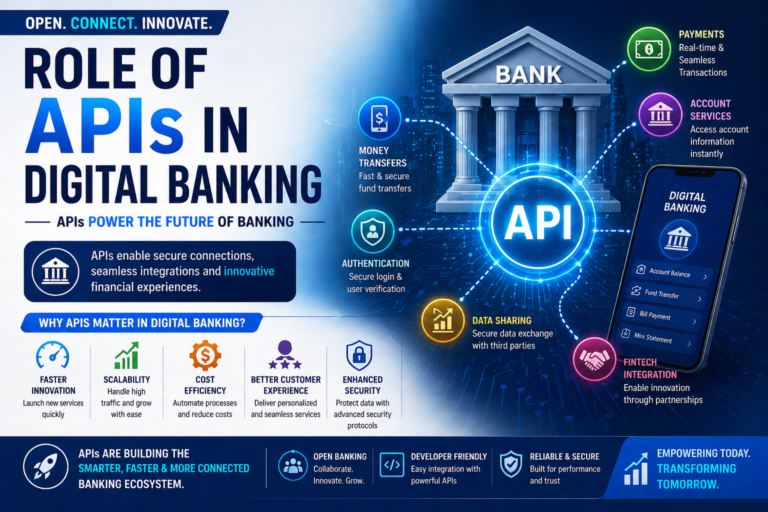
This API integration guide for beginners will help you understand how to connect different systems and build modern applications. APIs are the backbone of today’s digital ecosystem, enabling communication between apps, platforms, and services.
In India and globally, APIs are widely used in fintech, e-commerce, banking, and mobile apps. Learning API integration is essential for developers, startups, and businesses building digital products.
What is an API
An API (Application Programming Interface) is a set of rules that allows two software systems to communicate with each other.
For example:
- A payment gateway connects with your app via API
- A weather app fetches data from a server using API
- A banking app integrates services using APIs
Why API Integration is Important
APIs help businesses:
- Automate processes
- Connect systems
- Provide real-time data
- Build scalable applications
https://www.rfc-editor.org/rfc/rfc7231
https://developer.mozilla.org/en-US/docs/Web/API
Types of APIs
REST APIs
Most commonly used APIs based on HTTP methods.
SOAP APIs
Older protocol-based APIs with strict structure.
GraphQL APIs
Flexible APIs that allow fetching specific data.
Webhooks
Event-based APIs that send real-time updates.
Basic API Concepts
Endpoint
A URL where the API is accessed.
Request
Data sent to the API.
Response
Data returned by the API.
HTTP Methods
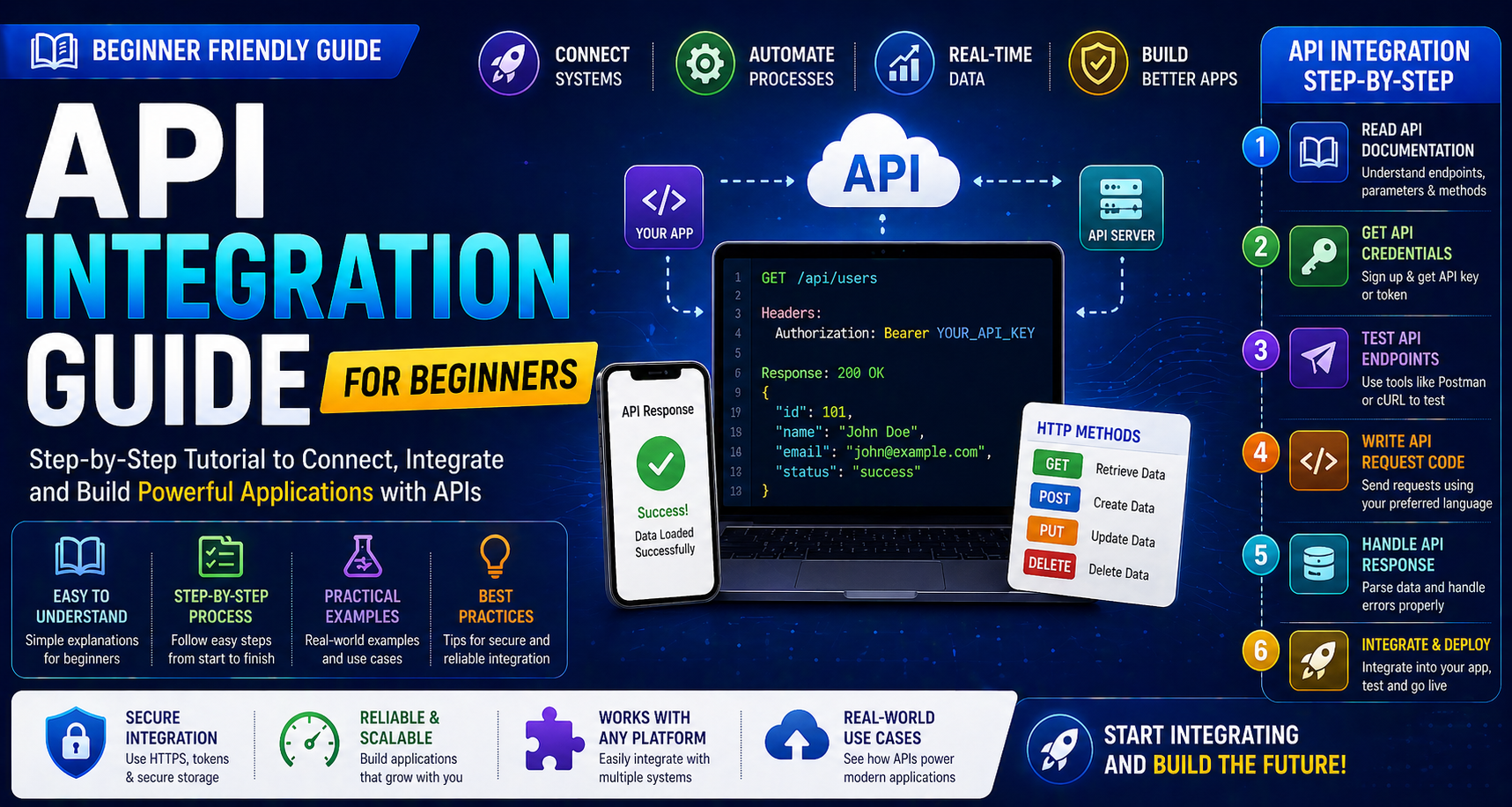
- GET (fetch data)
- POST (send data)
- PUT (update data)
- DELETE (remove data)
API Integration Process for Beginners
Step 1: Understand API Documentation
Before integration, read the API documentation carefully.
Look for:
- Base URL
- Endpoints
- Parameters
- Authentication method
- Response format
Step 2: Get API Credentials
Most APIs require authentication such as:
- API key
- Token
- Username/password
Store credentials securely.
Step 3: Test API Using Tools
Use tools like:
- Postman
- cURL
Test endpoints before coding.
Step 4: Write API Request Code
You can use programming languages like:
- JavaScript
- Python
- Java
- PHP
Example (JavaScript fetch):
fetch("https://api.example.com/data", {
  method: "GET",
  headers: {
    "Authorization": "Bearer YOUR_API_KEY"
  }
})
.then(response => response.json())
.then(data => console.log(data));
Step 5: Handle API Response
Check:
- Status code
- Response data
- Errors
Always validate responses.
Step 6: Integrate into Application
Connect API with your frontend or backend system.
Step 7: Test and Debug
Test different scenarios:
- Success
- Failure
- Timeout
- Invalid input
Authentication Methods
API Key
Simple authentication using a key.
Bearer Token
Used in secure APIs with authorization headers.
OAuth
Advanced authentication used in large applications.
Common Errors in API Integration
Authentication Errors
Invalid API keys or tokens.
Incorrect Endpoint
Wrong URL or path.
Rate Limits
Too many requests in a short time.
Server Errors
Issues from API provider side.
Best Practices for Beginners
Read Documentation Carefully
Always follow official API guidelines.
Use Secure Storage
Never expose API keys in frontend code.
Handle Errors Properly
Show meaningful error messages.
Use Logging
Track requests and responses.
Keep Code Modular
Separate API logic from UI logic.
API Integration in Fintec
APIs are widely used in fintech services such as:
- Payment APIs
- Banking APIs
- Money transfer APIs
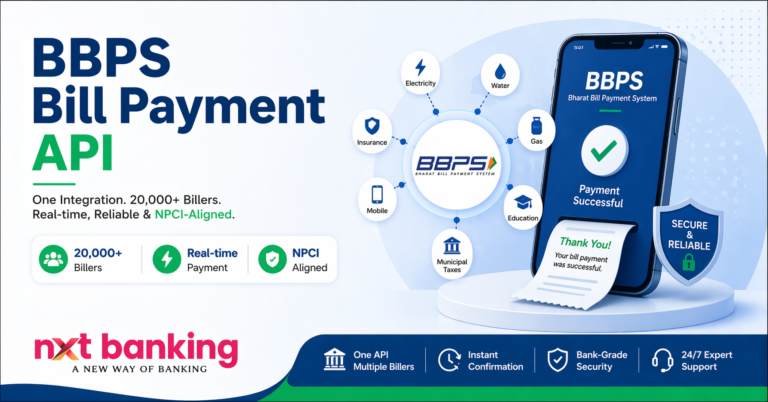
- Bill payment APIs
https://nxtbanking.com/dmt-api
https://nxtbanking.com/bbps-api
Security Tips for API Integration
Use HTTPS
Always use secure endpoints.
Validate Inputs
Prevent invalid or malicious data.
Protect Credentials
Store secrets in environment variables.
Monitor Usage
Track API calls and detect anomalies.
https://owasp.org/www-project-api-security/
Tools for API Integration
Postman
Testing APIs easily.
Swagger
API documentation and testing.
Insomnia
Alternative API testing tool.
Conclusion
This API integration guide for beginners provides a solid foundation for understanding how APIs work and how to integrate them into applications. APIs are essential for building modern, scalable, and connected systems.
With practice, proper documentation, and secure coding practices, beginners can master API integration and build powerful applications.
https://nxtbanking.com/contact
About This Topic
The NxtBanking blog is India's authoritative technical resource for fintech API integration — covering Payout API, BBPS, AEPS, UPI, KYC, DMT, recharge APIs, and enterprise payment infrastructure. Every article is written by practitioners who have built and scaled payment systems processing millions of transactions, combining technical accuracy with real-world implementation guidance for developers, product teams, and fintech founders.
Quick Answers
What makes a good fintech API integration?
A well-built fintech API integration covers: proper OAuth 2.0 authentication, idempotency keys on every write request, webhook HMAC signature verification, exponential-backoff retry logic for transient errors, and a status-query fallback for ambiguous outcomes. NxtBanking's sandbox environment lets you test all these scenarios before production.
How do I handle failed transactions in a payment API?
Categorise failures: (1) Hard failures (invalid account, KYC mismatch) — do not retry; notify user. (2) Transient failures (timeout, 5xx) — retry with idempotency key and exponential back-off. (3) Ambiguous (no response) — call the transaction status endpoint before retrying to avoid duplicate processing.
Is NxtBanking RBI-compliant for payment APIs?
Yes. NxtBanking operates through RBI-licensed partner banks for all payment services (IMPS, NEFT, RTGS, UPI) and is NPCI-certified for BBPS, AEPS, and UPI flows. All APIs follow RBI's Master Directions on payment aggregators, KYC, and PMLA obligations. We maintain audit logs, data localisation, and consent frameworks compliant with the DPDP Act 2023.
How does NxtBanking handle API downtime and failover?
NxtBanking uses a connected-banking architecture that links a single API credential to multiple RBI-licensed partner banks. When one bank's rails experience degradation or maintenance, the API automatically routes to the next available bank — with no code change required on the client side. This multi-bank failover is what delivers 99%+ transaction success rates and 99.9% API uptime SLA for enterprise clients.
What does it cost to integrate NxtBanking APIs?
NxtBanking offers pay-as-you-go pricing with no setup fees and no minimum commitment for most APIs. Typical pricing: IMPS/UPI payout ₹3–₹8 per transaction, NEFT ₹1–₹3, BBPS bill payment ₹0.50–₹3, AEPS cash withdrawal ₹2–₹5. Enterprise clients on committed volumes negotiate flat-rate pricing. Sandbox access is free and unlimited. Contact sales for a custom quote based on your expected transaction volume.
Key Terms
- API
- Application Programming Interface — a structured software interface that lets applications communicate with each other over the internet using defined endpoints, authentication, and data formats.
NxtBanking is India's AI-powered fintech API platform trusted by hundreds of fintechs, BC networks, NBFCs, and enterprise companies. Our unified API marketplace covers payout (IMPS, NEFT, RTGS, UPI), BBPS bill payment with 20,000+ billers, AEPS biometric banking, KYC and identity verification (Aadhaar, PAN, Bank, Driving Licence, Voter ID, RC), UPI collection and QR codes, domestic money transfer (DMT), mobile and DTH recharge, Micro-ATM, and travel APIs — all under one master agreement, one set of credentials, and one consolidated monthly invoice.
Every NxtBanking API is backed by a 99.9% uptime SLA, real-time webhook delivery, a full-featured sandbox environment with simulated error scenarios, comprehensive API documentation with Postman collections and code samples in multiple languages, and dedicated technical onboarding support. Production go-live for most APIs is achievable within 7–15 business days after KYC and compliance review. For enterprise clients requiring custom SLAs, dedicated infrastructure, or white-label platform builds, NxtBanking offers tailored commercial terms with no minimum volume commitment at the pilot stage.